Loading

Showing posts with label Google+. Show all posts

Wednesday, May 13, 2015

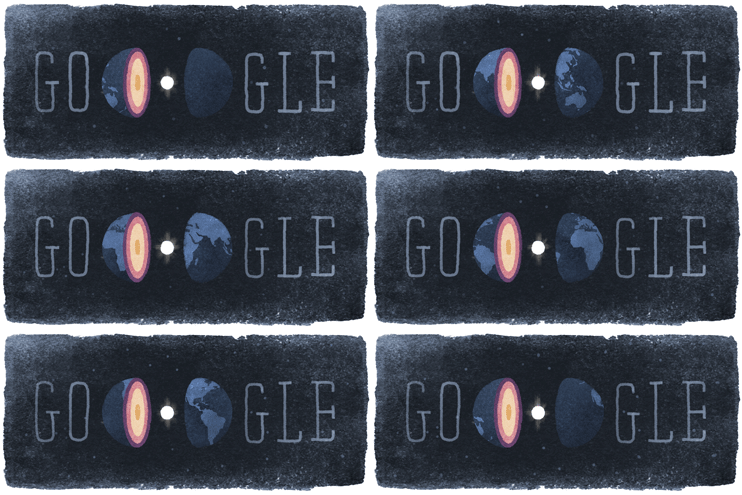
Inge Lehmann's 127th birthday

َ
A beautiful doodle for an impressive scientist. Happy birthday, Inge!
Inge Lehmann ForMemRS (May 13, 1888 – February 21, 1993) was a Danish seismologist and geophysicist who discovered the Earth's inner core. In 1936, she postulated from existing seismic data the existence of an inner core with physical properties distinct from the outer core's and that Earth's core is not a single molten sphere. Seismologists, who had not been able to propose a workable hypothesis for the observation that the P-wave created by earthquakes slowed down when it reached certain areas of the inner Earth, quickly accepted her conclusion.
from Wikipedia

Thursday, October 24, 2013

Google+ Guide for New Users

This is +Denis Labelle's almost flawless "Google+ Guide for New Users". It covers various and interesting topics and is a good option to get to know Google+ fast and easy.

Sunday, July 21, 2013

Back to work...I mean blog!

It's been awhile since last time I wrote here. However it's a shame I couldn't continue sharing my precious thoughts with you (! :D), but I had a good reason too: since I live in an "absolutely free" country and as a result of this "absolute freedom" Blogger has been blocked here, now for more than 8 years, I had some difficulties to reach the Blogger. But now it seems we have passed this hard era and entered a new one. So maybe, and just maybe, I can continue my effort to share my priceless thoughts with you (:D).
Well the newest thing about me is since the "Google Reader" has been retired, I've migrated to the "digg Reader" and now I digg here (:D):
I also has put a link in sidebar for my diggs feed. It's a RSS feed. You can subscribe to it, if you like. It's this:


That's all I have for now! See you! :D

Saturday, January 26, 2013

Birthday surprise by Google

Today was my Birthday (as a matter of fact, "is", but anyway) and I received one of my most amazing gifts from one of most unexpected sources! As you probably have guessed, it was from Google and was nothing but a special Doodle for my birthday:

This is just amazing! :D - image from my Google homage
In fact, in a general view, this doodle is just a simple automatic congratulation system, scheduled for users birthday, but the way Google has chosen to show that massage is absolutely incredible. At last was totally surprising to me and I love that. That's why I love Google! :D

Tuesday, January 8, 2013

"Advanced Power Searching" is open to register

The new Power Searching course. Image from: powersearchingwithgoogle.com

Google has announced in his Inside Search blog that a new Power Searching course, named "Advanced Power Searching with Google" will be begin on January 23, 2013. Registration opens today and is free for everyone. This course will continue the path of the previous one: Power Searching with Google, and is supposed to give a catholic and deeper outlook to attendees:
"Building on Power Searching with Google, Advanced Power Searching with Google helps you gain a deeper understanding of how to become a better researcher. You will solve complex search challenges similar to those I posed in my blog, or a Google a Day, and explore Google’s advanced search tools not covered in the first class."
Registration dead end in not mentioned yet, but the course will be finished on February 8th and the presenter seems to be Mr. +Dan Russell .
Here is the course's syllabus:

Introduction
    ● How the Course Works
    ● Sample Challenge
    ● Research Process
    ● Solving the Sample Challenge
Practice
    ● Challenge 1 - Mimicking presidential voices
    ● Challenge 2 - Turtle fossils
    ● Challenge 3 - Festival challenge
    ● Challenge 4 - Humongous fungus
    ● Challenge 5 - Salman Khan
    ● Challenge 6 - Scrapbook enthusiast
    ● Challenge 7 - Mystery music
    ● Challenge 8 - Climate graph
    ● Challenge 9 - Name that notebook
    ● Challenge 10 - Who done it?
    ● Challenge 11 - Feather identification
    ● Challenge 12 - Where in the world?
Assignments
    ● Assignment 1
    ● Assignment 2
Certificate
    ● How It Works


Monday, December 31, 2012

Proudly Present:‌ the New Year!

Today is December 31, and in few hours, it will become the New‌Year as the Earth turns from East to West. Merry New Year to everyone; Happy New Year!
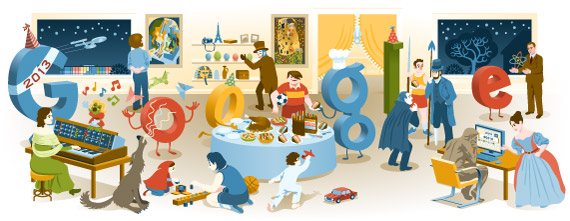
I the last day of 2012, Google, again, has gave us a surprise and has revealed a new Doodle:‌ Doodle for New Year. This Doodle represents a summery of some of most famous, popular and important events, Google has celebrated and honored during the past year. Each part of this image is a link to one of previous Google Doodles; such as 200th Anniversary of Grimm's Fairy Tales, Ada Lovelace's 197th Birthday or Charles Dickens' 200th Birthday. All you need is just to visit Google's homepage.

Google's New Year Welcome Doodle. Image credit:‌ Google

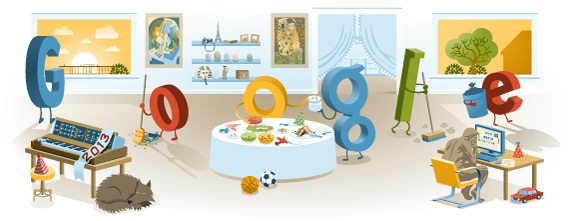
UPDATE Here is how this Doodle looks like in the New Year. Brilliant, isn't it?!‌ :D

Google's New Year Welcome Doodle afterwards. Image credit:‌ Google

Saturday, December 15, 2012

May their souls rest in peace!


"Our hearts are with the families and community of Newtown, Connecticut." - Image from Google.com

Today, Google has enlightened a candle  on its homepage to sympathize with families who lost their beloved children in Newtown, Connecticut school shooting (Just available for US visitors).
May their souls never be forgotten. Rest in peace. :(

Monday, October 15, 2012

Google's doodle in honour of Winsor McCay


Today, October 15, in honour of Winsor McCay's 107th birthday, Google has changed his logo to a fantastic animated comic strip, narrates McCay's "Little Nemo in Slumberland" story.
To see this beautiful and fascinating doodle, just visit Google's homepage.

Little Nemo in Slumberland's complete scenes. Note that some scenes are scroll-sensitive in original doodle.

Saturday, October 13, 2012

Upcoming Power Searching classes: when and how?

On October 12, +Dan Russell, senior search research scientist at Google and presenter of "Power Searching with Google" course, has published a post on his blog about upcoming "Power Searching" courses. I just quote the entire post, for those who are interested:
Lots of people have been asking me "When's the next MOOC for Power Searching?" 
Or, more generally, "How can I know when the next class is offered?"

Here's the answer:  There are several ways to do this.  
  1. You can follow the Inside Search blog 
  2. You can  follow the G+ page for "Google Online Courses"
  3. Or ... follow my personal G+ page
  4. OR (best solution) -- To receive announcements about future search-related classes, add yourself to the Search Education Google Groups mailing list: https://groups.google.com/forum/#!forum/google-search-education
If you are specifically interested in search classes for K-12 education, join: https://groups.google.com/d/forum/google-search-education-k-12
On these lists we'll only send you a message when a new class is being offered.  Note that users can't post to these groups (only we can!), so you won't be sent random messages.  
Hope to see you in a future class! 
Again, I strongly recommend to every one who is interested in advanced search techniques: DO NOT LOSE upcoming courses. It's a great opportunity!

Friday, October 12, 2012

Behold: Here is my certificate!

Today, I received my "Power Searching with Google" course certificate. In fact it has not any academic or legal and so on value, but I am proud of myself for taking and completing this valuable course. The site in now unavailable, but Google has announced from Monday, October 15, all the videos, texts and activities will be accessible; however, unfortunately, there isn't any more certificate.
If you have participated in this course, guess yourself a lucky one and if not, you have the opportunity to take the course again, and I strongly recommend you to do that!

My pretty, precious, googly certificate. Image credit obviously belongs to myself! :D 

P.S: I want to thank Mr. +Dan Russell for his warm and pleasant presentation. He is really a good teacher. 

Wednesday, September 26, 2012

Power Searching with Google

Google recently introduced an online course, as part of Google Inside Search, named "Power Searching with Google". This course is about advance searching techniques with Google. Everyone is free to register. The course has already began on Monday, September 24. Since the first assessment will be held on September 28 (deadend time: October 1), yet there is a chance to register.
The course consists of 6 classes and 3 assessments and each class includes some lessons. Every lesson comes with a video, presented by Dan Russell, and a PDF slide, follows by an activity. By the way there is a text version of each lesson. There are also other sources available to learn more, such as scheduled Hangouts and DiscussionForum

Power Searching with Google! Image form powersearchingwithgoogle.com

Here is the course schedule:
Classes become available on the dates listed below at 8:00am PT (11:00am New York / 4:00pm London / 8:30pm Hyderabad )
  • Class 1 available September 24
  • Class 2 available September 26
  • Hangout on Air with search experts September 27 10:00-10:45am PT
  • Class 3 & mid-class assessment available September 28
  • Class 4 available October 1
  • Hangout on Air with search experts October 2 4:00-4:45pm PT
  • Class 5 available October 3
  • Hangout on Air with search experts October 4 10:00-10:45am PT
  • Class 6 & post-class assessment available October 5
  • Mid-class assessment due October 10 at 11:59pm PT
  • Post-class assessment due October 10 at 11:59pm PT
At the end of the course, Google will give a printable certificate to those who pass all assessments successfully. It's a  win-win opportunity. Do not lose it! Register Now!

Sunday, September 9, 2012

Doodles right in your Reader!

Google Beta-1998. Photo from Google Doodles
Since Google has begun his carrier, Doodles had been an important and interesting part of the company's activities. For almost any event in the world, Google changes his logo to a new doodle. If your are one of those who follow these  doodles, and if you want to lose none of them, Google has a simple and brilliant solution for you: 
You can subscribe for Google Doodles RSS feed and receive latest updates in your RSS reader.
However it isn't something new, but I doubt how many people know this feature. It's a simple and easy way to be informed about new doodles and enjoy of them without any trouble. So, do not hesitate! Try it now: https://www.google.com/doodles/doodles.xml

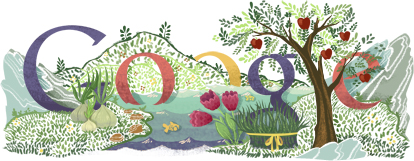
Persian New Year 2012. Photo from Google Doodles

 NOTE  The mentioned feed is placed in the left-bottom corner of the Google Doodle page, right beside the Copyright statement; if you are looking for it!

Monday, September 3, 2012

Note quickly with Quick Note

Apps and Extensions are one of the Chrome's most interesting features. The freedom that these add-ons give to users is pleasant. Previously, I introduced Scratchpad, a useful offline app form taking note in Chrome and sync them with your Google Drive Account. Today I'm going to do this again, this time with a different app: the Quick Note.

Quick Note's UI. Picture from Chrome Web Store
Quick Note is an offline app: "The quickest way to take notes in Chrome, as quick and slick as the best desktop note-app" they say. One of  Quick Note's advantages is its "Quick to Add and Edit" feature, gives you the ability to take notes quickly and easily from web pages without leaving them. You can access this  feature by right clicking on any part of a page and select "New Note". This will show a sidebar on the right side of the page that allows you to write/take notes. Also highlighting a part of a web page and select "New Note" outcomes the same result.
Quick Note can sync your data on Diigo cloud servers that of course needs a Diigo account. You can sign up for Diigo directly or use your Google, Twitter, Facebook or Yahoo accounts for sign up. The sync process is done almost instantly. Besides, running Quick Note takes much less RAM than most of other apps that makes it a good choice for common uses.

Developer: Diigo
Version: 1.4.1
Updated: Friday, July 6, 2012
Works Offline: Yes
Languages: Deutsch, English, Nederlands, Türkçe, italiano, polski, português (Portugal), русский, 中文 (简体), 中文 (繁體), 日本語, 한국어
This app can access:
● Your data on all websites
● Your tabs and browsing activity

Tuesday, August 28, 2012

Nexus 7 on Google's homepage

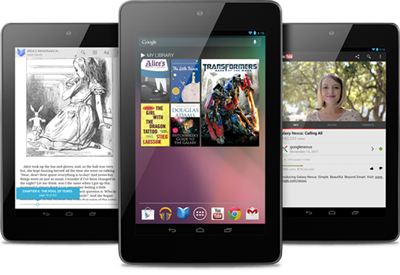
Photo from Google Play
Today, Google did an unanticipated (and also weird) move and placed a Nexus 7 ad on his homepage. Putting such an overt advertise on Google's homepage is a really rare actionObviously, Google is proud of his new Nexus and will not lose any chances to bring more attention to it. 
Nexus 7 with its great hardware and impressive design is a turning point for Google. A point that Google can use to change the rules of the game. This market is so tempting that even Apple couldn't resist and want to introduce a 7 inch tablet at the end of summer. In the other hand, Amazon is trying to take back the market by the new Kindle Fire. This game is going to be very hot!
Anyway, if you check Google's homepage today, you can see this advertisement.

Nexus 7 advertisement on Google's homepage.

The new algorithm works fine!

It seems Google's new page ranking algorithm, Google Panda, released in February 2011, is working great! Many of my friends and peoples I know, running illegal download sites and blogs, faced a similar problem: their links drop rapidly in Google's search results and pass even page 5; while last year at these times, their links had stuck to Google's first page. That's really fun! (I'm not an evil friend, but I can's stop laughing! :D)

Matt Cutts's published post.
Today, Matt Cutts, head of the Google’s Webspam team, published a new post in his personal blog to answer this important question: "Why a site's PageRank goes down?". In this post, Mr. Cutts mentions an important aspect of the new algorithm: it's sensitiveness to paid links that pass PageRank.
The story begins when a newspaper emails Mr Cutts and asks him "why their  PageRank has dropped from 7 to 3"! Here is Mr Cutts's answer:
(I have shortened links to make the quote looks better)
Hi, the usual reason why a site’s PageRank drops by 30-50% like this is because the site violates our quality guidelines by selling links that pass PageRank. Here’s our documentation on that: http://goo.gl/CeRUp and here’s a video I made about this common case: http://goo.gl/P1iXx (it’s about 1:30 into the video). 
http://goo.gl/Z8xOx is a good recent article about paid reviews. In Google’s world, we take paid links that pass PageRank as seriously as Amazon would take paid reviews without disclosure or as your newspaper would treat a reporter who was paid to link to a website in an article without disclosing the payment.
In particular, earlier this year on [website] we saw links labeled as sponsored that passed PageRank, such as a link like [example link]. That’s a clear violation of Google’s quality guidelines, and it’s the reason that [website]‘s PageRank as well as our trust in the website has declined.
In fact, we received a outside spam report about your site. The spam report passed on an email from a link seller offering to sell links on multiple pages on [website] based on their PageRank. Some pages mentioned in that email continue to have unusual links to this day. For example [example url] has a section labeled “PARTNER LINKS” which links to [linkbuyer].
So my advice would be to investigate how paid links that pass PageRank ended up on [website]: who put them there, are any still up, and to investigate whether someone at the [newspaper] received money to post paid links that pass PageRank without disclosing that payment, e.g. using ambiguous labeling such as “Partner links.” That’s definitely where I would dig.
After that investigation is complete and any paid links that pass PageRank are removed, the site’s webmaster can do a reconsideration request using Google’s free webmaster tools console at google.com/webmasters. I would include as much detail as you can about what you found out about the paid links. That will help us assess how things look going forward.
Sincerely,
Matt
I would like to share this useful advice with you. It has great points for webmasters and bloggers. That's all!

Tuesday, August 21, 2012

Google goes Blue!

Google Search's favicon has been changed. This new favicon is a lowercase "g" on a blue rectangle (instead the old four color one). Google did not announced this change officially but it seems they are going to unify the official Google logo in all platforms (include Chrome OS and Chrome browser, Android and iOS). Previously  Google Search logo on Chrome OS and Chrome Browser and Google Search app for Android and iOS had been changed to this new blue icon.
Anyway, I think the new icon/favicon is pretty amazing and inspiring. Its blue color is   beautiful and relaxing; however seeing a blue favicon on the tab bar is a bit odd.
If you can not see the new favicon, maybe clearing the cache comes in handy in some cases; if not, you should wait a bit longer!

Saturday, August 11, 2012

The London 2012 Ceremony by Google


 UPDATE-8/12/2012  The closing ceremony's time has been changed to 4:00pm ET (12:30am IRST).
----
During London 2012 Olympic games, I was following results by searching "london2012" on Google. I think among Google, Bing and Yahoo, Google shows the result in the best format. Anyway, today I noticed that tomorrow is the Olympics closing ceremony. So I decided to search for the time of the ceremony. As I didn't know the exact phrase for this event, I googled "London 2012 ending ceremony" and Google suggested "London 2012 Closing Ceremony" that seems to be the correct phrase.
Then I pressed the space button and when I was wavering between typing "time" or "date", Google suggested immediately with "Time", "Date" and "Tickets". I chose "time" and then Google answered (beside the common results):
The Closing Ceremony of the London 2012 Olympic Games is on Sunday, August 12, 2012, at 3:00pm CT.
Amazing! That's why I love Google!

Google shows the London 2012 closing ceremony time separately, as you can see above the search results.

But to converting time of the ceremony to my homeland time (Iran), I just needed to use another search engine: the wonderful WolframAlpha! I used this input value: "3:pm CT to IRST" and the result was: "8:19:21 pm IRDT  |  Saturday, August 11, 2012". Tada!

Converting time zones by WolframAlpha.


Sometimes sticking just to one tool/thing/engine is not a pretty good idea and may even lead you to worse results. So, always seek different ways and try diffident tools, but do not lose your concentrate. That's the point!


Monday, July 23, 2012

The Merge

Google finally merged Blogger and Google+ user profiles. Previously Google had announced that want to merge user's Blogger and Google+ profiles in order to provide a better integrated experience, but at the first attempt, Google just did this in a limited level and two accounts did not really (and fully) merged. You couldn't share anything right from Blogger and also you couldn't see the +1 counter. That was only a profile view just similar to Google+ profile view and not the same Google+ profile view.
The new changes have done recently, rectified this matter and now Blogger provide a similar experience as other Google products like Google Reader, Google Search, Google Drive and so on. In the other words, now you can see the well-known Google Bar in Blogger. You can share anything directly from Blogger, see the +1 counter and your profile information.
However the vacancy of the search bar makes it a bit weird but it's a good experience and makes me feel alright. Welcome aboard Google Bar!

Google Bar replaced the older Blogger profile scheme.

Wednesday, July 11, 2012

Google Nexus 7 by videos

The new Nexus 7 tablet. Photo by Google Nexus

Two weeks ago, Google announced a new tablet in Google I/O 2012 that impressed all users. What's coming next is a video trail that covers some of important features and highlights of the Google's new tablet. First, lets take a look at the specifications:

STEP 1 - Google/ASUS Nexus 7 Specifications (data from Google Nexus official website)
  • 7” 1280x800 HD scratch-resistant Corning glass display (216 ppi)
  • 1.2MP front-facing camera
  • Quad-core Tegra 3 processor + 1 GB RAM
  • 8 or 16 GB internal storage
  • Android 4.1 (Jelly Bean) OS
The device has a 4325 mAh battery that keeps charge for 9 hours HD video playback/10 hours web browsing/10 hours e-reading or 300 hours in standby mode. It's weight is only 340 grams and has 198.5x120x10.45mm dimensions, micro USB port and 3.5mm headphone jack. Nexus 7 only uses WiFi [802.11 b/g/n] to access to the Internet (no 3G or 4G). Other features include: bluetooth, microphone, built-in NFC (a.k.a. Android Beam), accelerometer, GPS, magnetometer and gyroscope.

STEP 2 - Introducing Nexus 7 (Google Nexus Channel)


STEP 3 - Google Nexus 7 Unboxing (PhoneDog channel)


STEP 4 - Google Nexus 7 First Impressions & OS Tour (TechnoBuffalo channel)


STEP 5 - Nexus 7 review (The Verge channel)


BOUNCE STEPS
Introducing Google Now (Official Android Channel)  /  Siri vs. Google Search (TechnoBuffalo channel)
Google Now is one of the Jelly Bean's new features. It's supposed to "get you just the right information at just the right time"; e.g. traffic data, appointments, flights, weather, translation, currency etc. (more information on Google Now landing page). Another Android 4.1 impressive feature is the new voice assistant currently called Google Search or Google Voice Search that somehow is a part of Google Now. In the review that has been done by Jon Rettinger from Techno Buffalo, Google Search responses a bit faster than Siri and its voice is more human like.


You can pre-order Nexus 7 from Google Play. More information about Google's new tablet and other Nexus devices here: Discover Nexus Devices

Monday, July 9, 2012

A delightful scratchpad

Scratchpad is one of my favorite apps in Chrome Web Store. A little, by Google, offline app, that let you to store text data easily. Scratchpad works along with Google Docs and can synchronize and save your notes on Google's powerful clod servers almost instantly. These notes will be stored in a separate folder to made their management easier.

Scratchpad user interface. Photo by Google (Chrome Web Store)

Scratchpad also grants basic text styling options like bold, italic, underline, strike through, bullet list and number list. Unlike MS Notepad and other basic editors, you can use different fonts and styles in one text. Scratchpad contains 10 different fonts, including: Arial, Arial Black, Courier New, Garamond, Open Sans, Tahoma, Times New Roman, Trebuchet MS and Verdana. You even can search among your notes with the app's built-in search tool. Although the app allows you to sort/view notes in three modes: recent notes, all notes and starred notes.  
It seems that Google has developed this app basically for Chrome OS users to satisfy the need to a basic text editor; but other Chrome browser users likewise can enjoy its interesting features. To install this app visit Chrome Web Store.


Developer: Google
Version: 3.0.16
Updated: Wednesday, June 6, 2012
Works Offline: Yes
Languages: Bahasa Indonesia, Deutsch, English, English (UK), Filipino, Français, Nederlands, Tiếng Việt, Türkçe, català, dansk, eesti, español, español (Latinoamérica), hrvatski, italiano, latviešu, lietuvių, magyar, polski, português (Brasil), português (Portugal), română, slovenský, slovenščina, suomi, svenska, čeština, Ελληνικά, Српски, български, русский, українська, עברית, हिन्दी, ไทย, ‫العربية, 中文 (简体), 中文 (繁體), 日本語, 한국어
This app can access:
● Your data on docs.google.com and www.google.com
● Your list of installed apps, extensions, and themes
● Your tabs and browsing activity



Copyright © 2012-2016; the eBird. All rights reserved.
Simple Template RE-DESIGN. Powered by BloggerTM